
Product tour
Triage is an emergency department check-in and triage platform. Patients check in on a kiosk, a pathway suggests how urgent they are and flags serious conditions, and a nurse confirms before the patient is routed to the right stream.
From the front door to the right clinician
Section titled “From the front door to the right clinician”- Patient checks in at a kiosk
- Gives personal and clinical details
- Picks the main complaint
- Answers structured questions
- Pathway scores acuity and raises flags
- Nurse reviews and confirms
- Routed to Resus, Majors, UTC or Paeds
A check-in a frightened patient can finish.
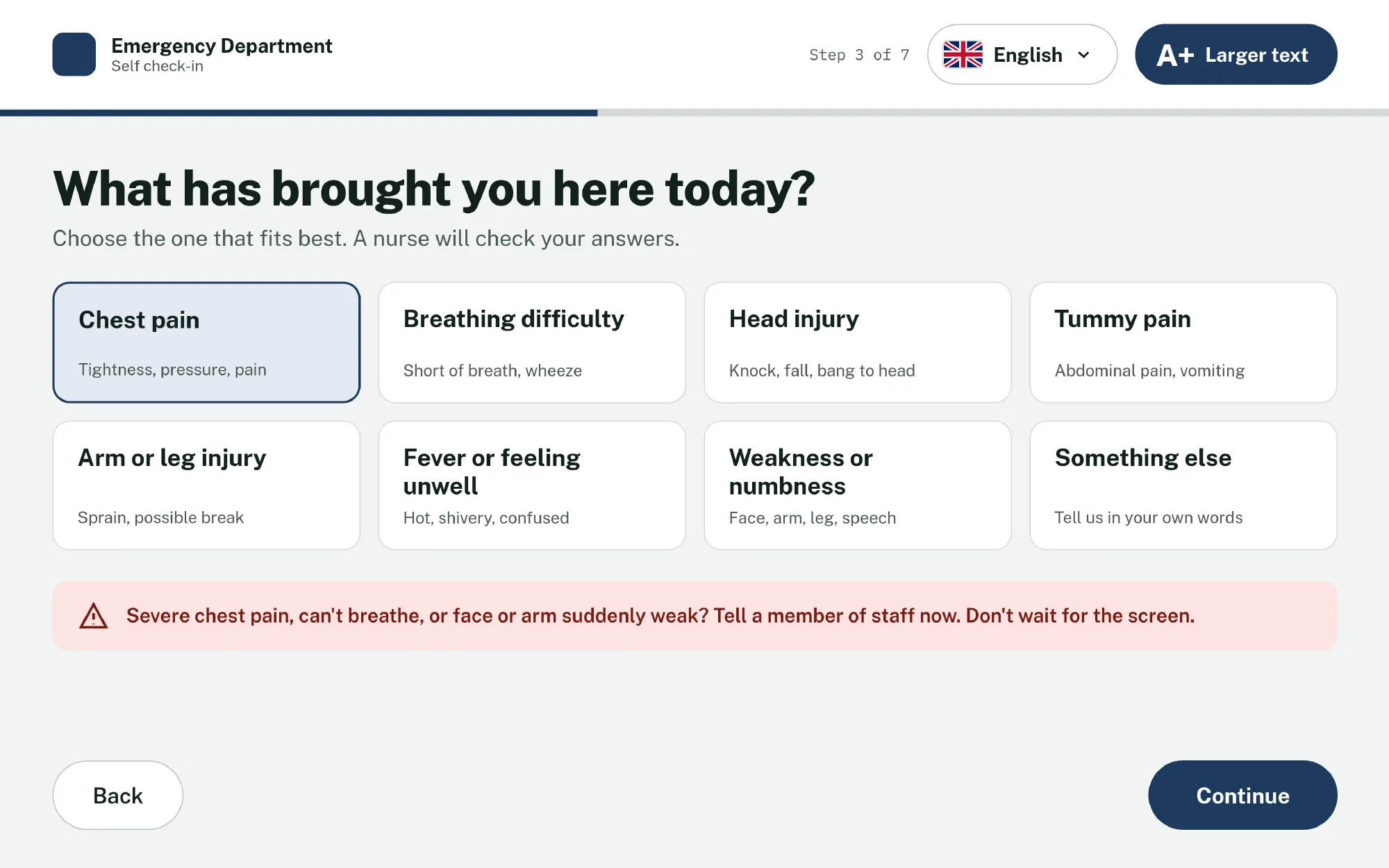
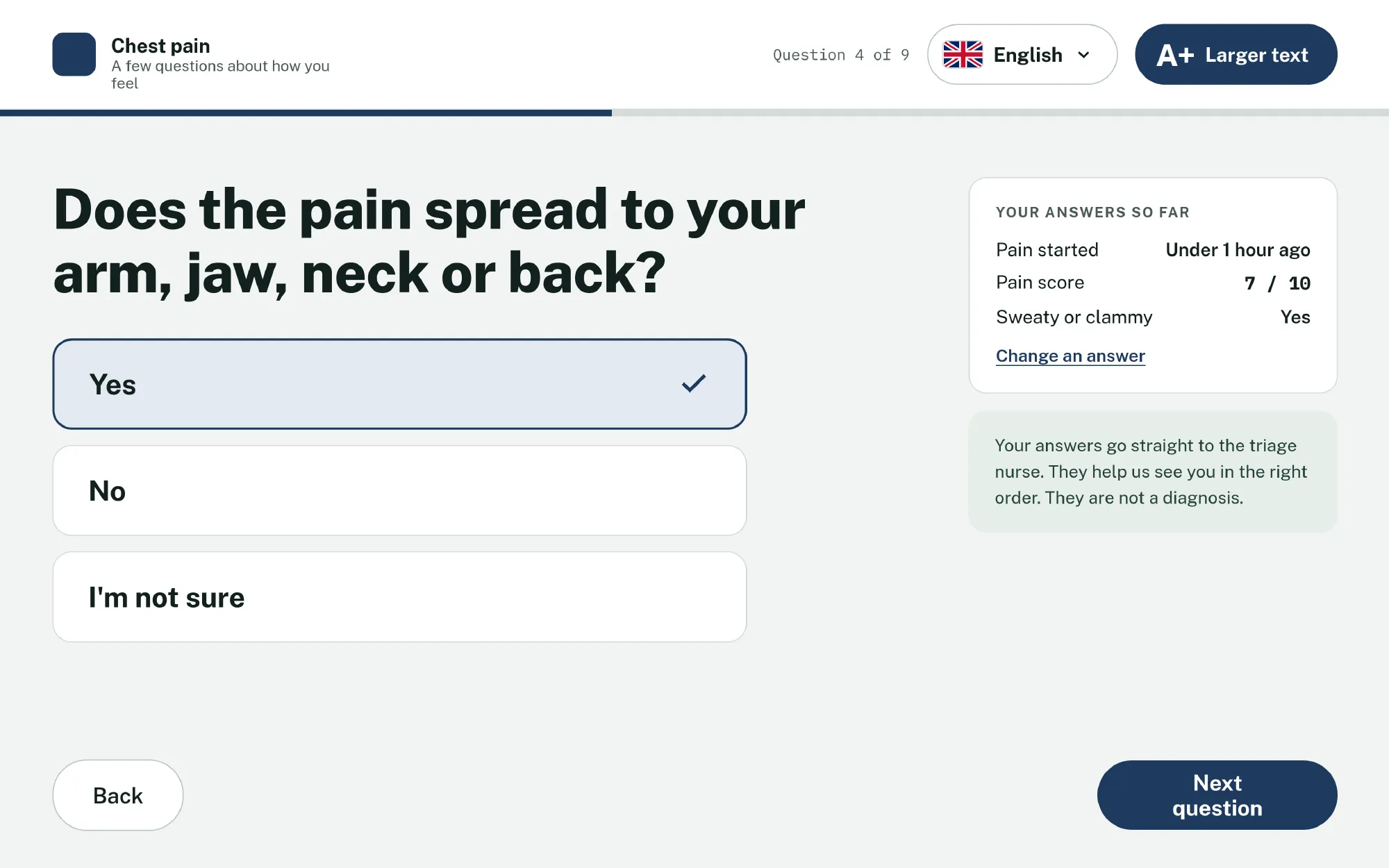
- Language and larger text are always at the top.
- Large, plain choices, with one question per screen.
Clinical
Section titled “Clinical”The waiting room at a glance
Section titled “The waiting room at a glance”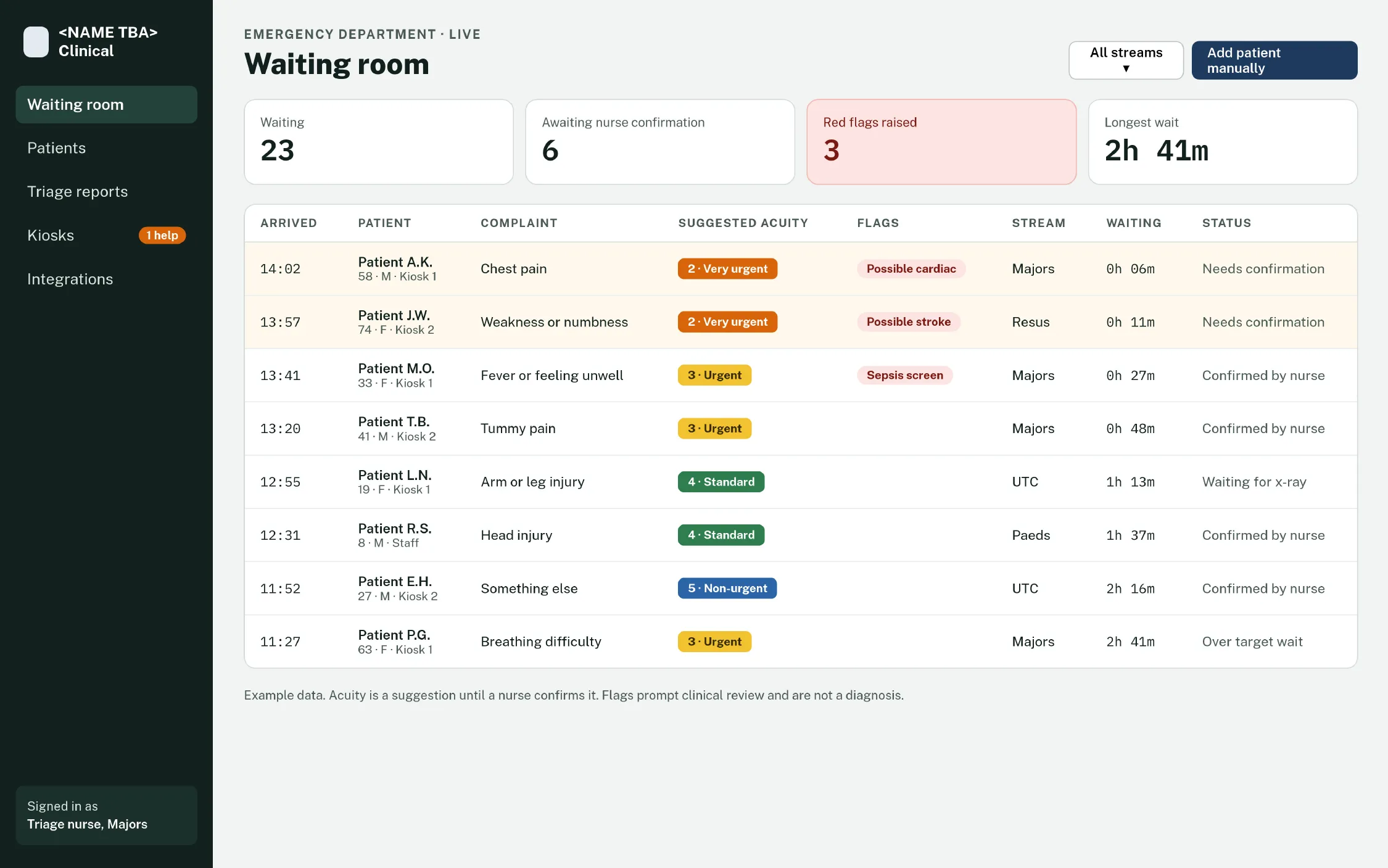
- Flags rise to the top: unconfirmed and flagged patients stay highlighted until a nurse acts.
- Familiar acuity scale: five levels in the colours ED staff already use, always with the label.
- Live, even offline: the board runs from the hospital’s own node.
The nurse sees why, then decides
Section titled “The nurse sees why, then decides”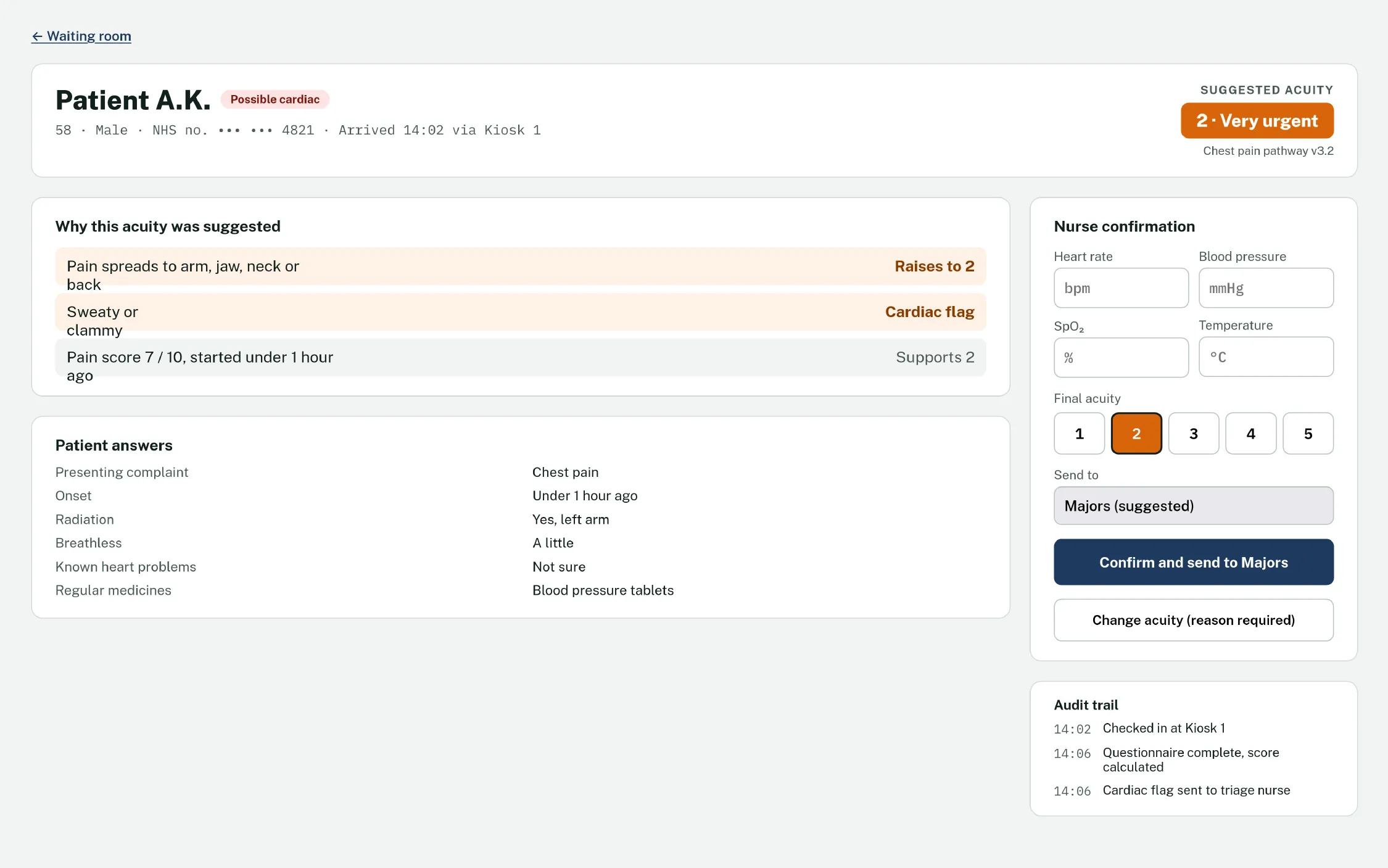
- Explained score: each answer that raised the acuity is listed.
- Nurse has the final say: vitals, final acuity and stream in one panel. Overrides need a reason.
- Full audit trail: every step is time-stamped for clinical review.
No patient gets stuck at the front door
Section titled “No patient gets stuck at the front door”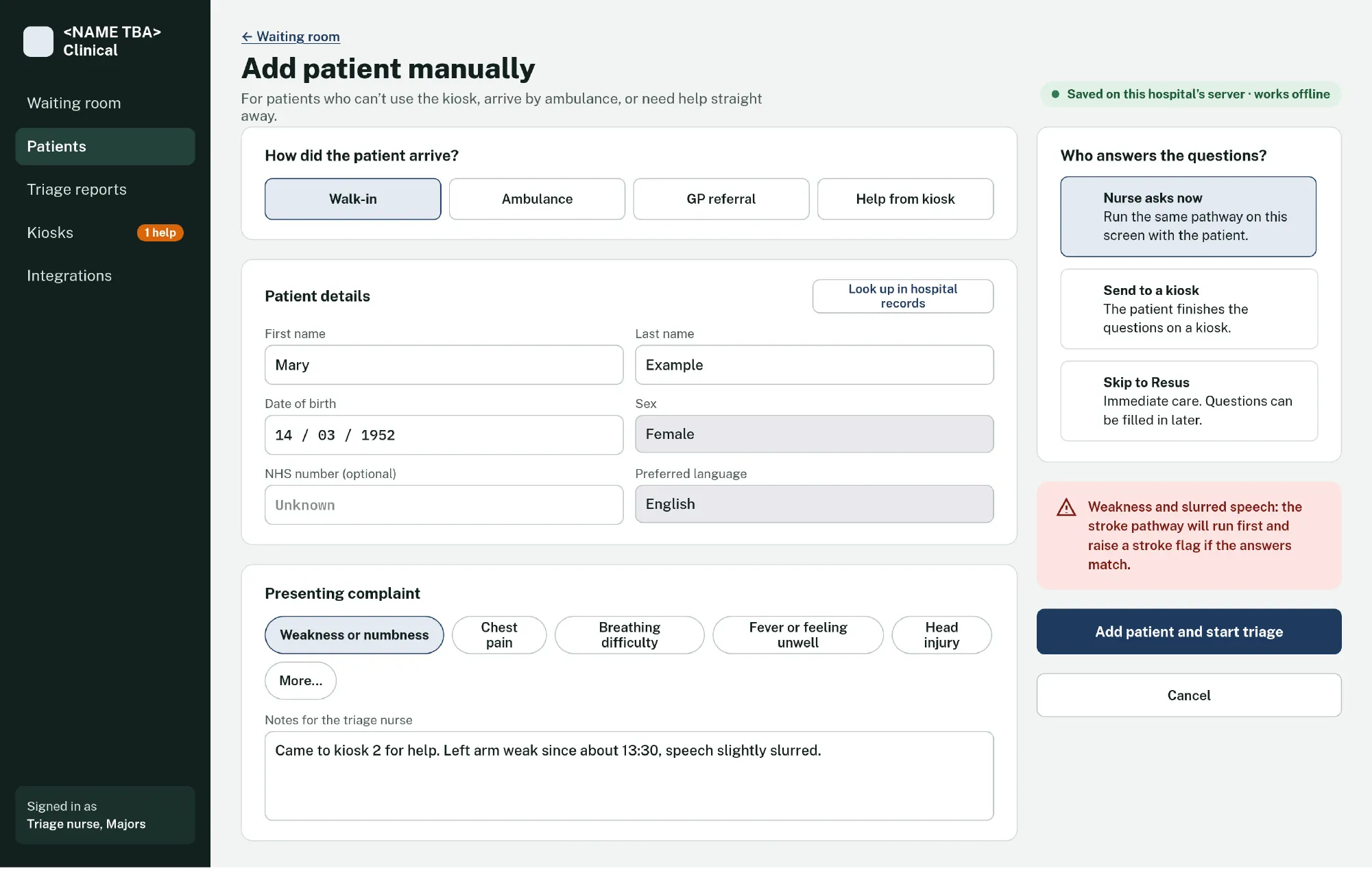
Add patient manually for ambulance arrivals or anyone who can’t use a kiosk. The same pathways run, either by the nurse on screen or on a kiosk.
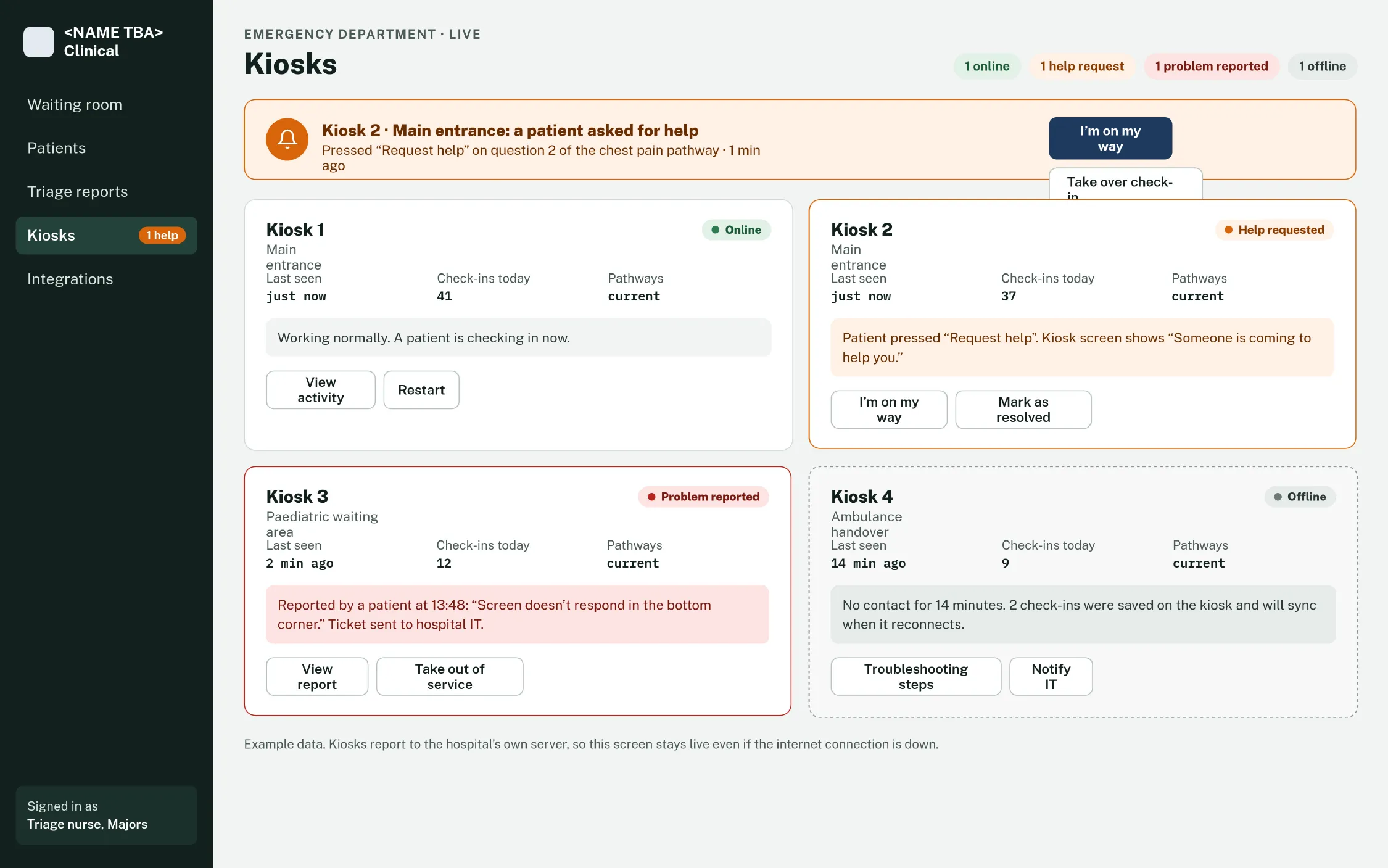
Kiosk status shows help requests, reported problems and offline kiosks, each with a clear next action.
Hospital Admin
Section titled “Hospital Admin”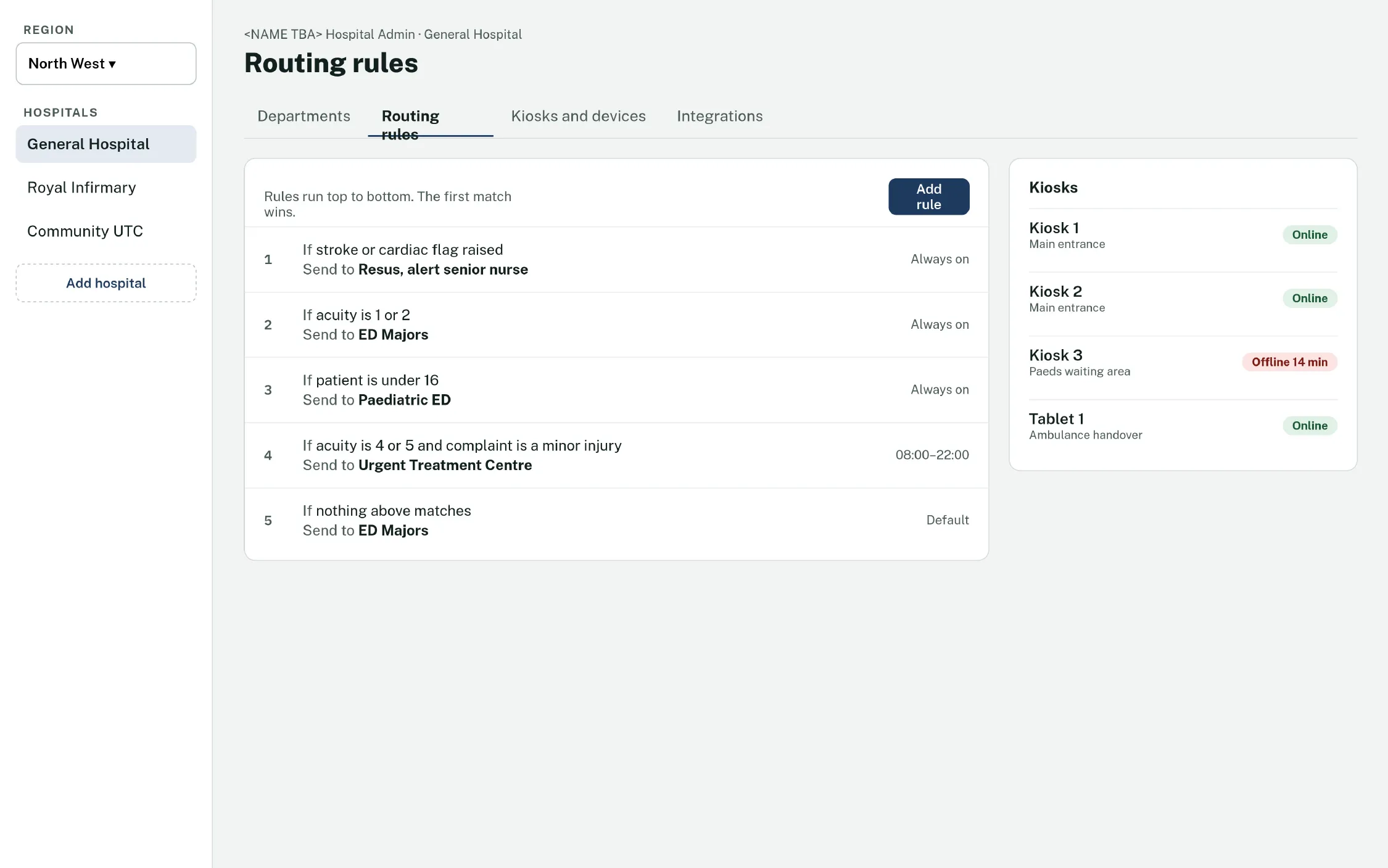
Site managers set routing rules, departments and kiosks. Rules run top to bottom, and the first match wins.
Content
Section titled “Content”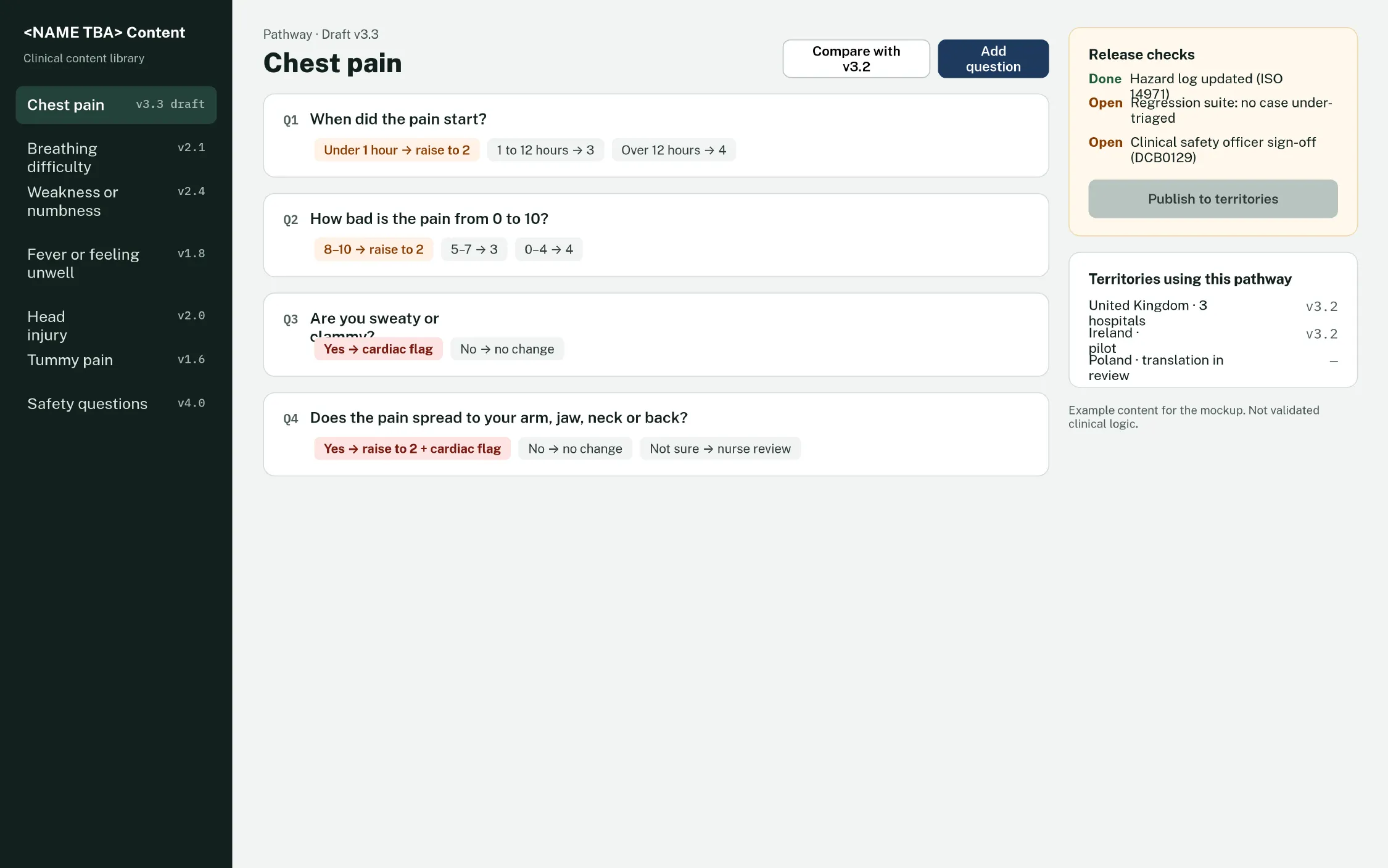
Clinicians edit pathways without code changes. Publishing stays locked until every release check passes, including the hazard log, the regression suite and clinical safety officer sign-off.